Download EZFN Hybrid
Click the download button below — you'll get EZFN-Hybrid-Setup.msi. Hybrid works with your regular Fortnite from Epic, so there's no huge game download — the launcher itself is tiny. When it finishes, the download appears next to your browser's address bar, exactly as in the picture. Click the file to open it.
Download for Windows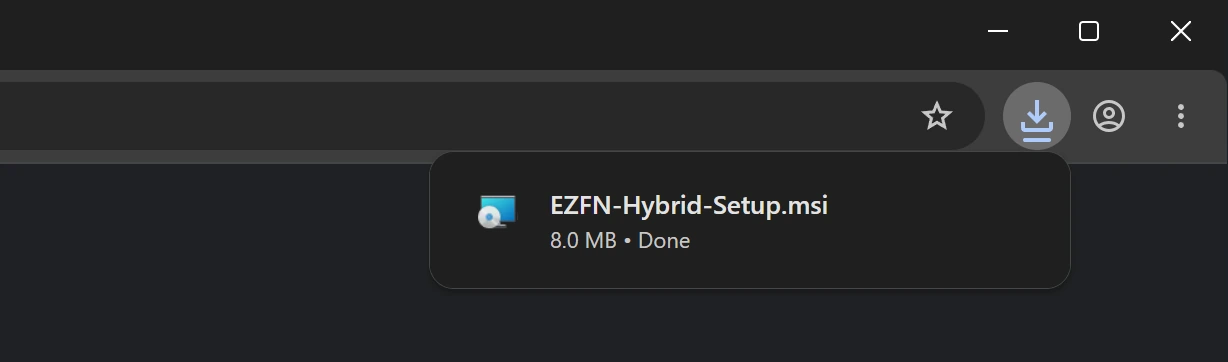
Get past Windows SmartScreen
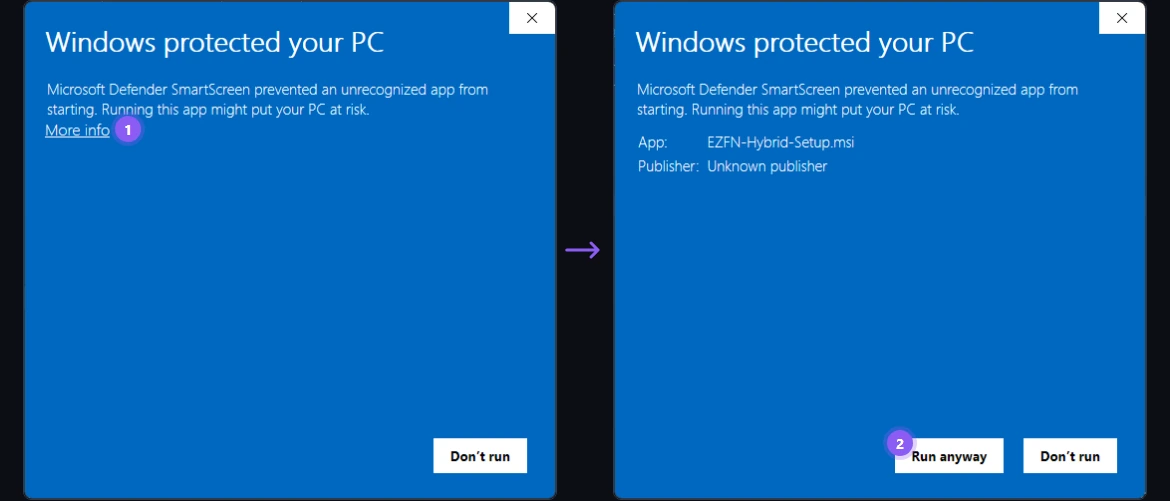
Windows sometimes shows “Windows protected your PC” for independent apps like EZFN. Click “More info” (1), then “Run anyway” (2). Our installer is published on VirusTotal, so you can verify it yourself.
Install the launcher
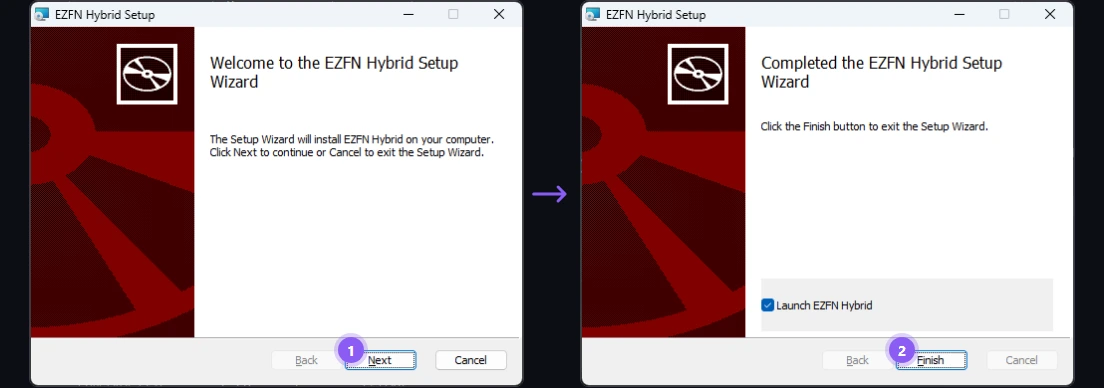
Follow the setup wizard: click “Next” (1) and let it install. On the last page keep “Launch EZFN Hybrid” ticked and click “Finish” (2) — the launcher starts right away. If Windows asks for permission, choose Yes.
Choose your language
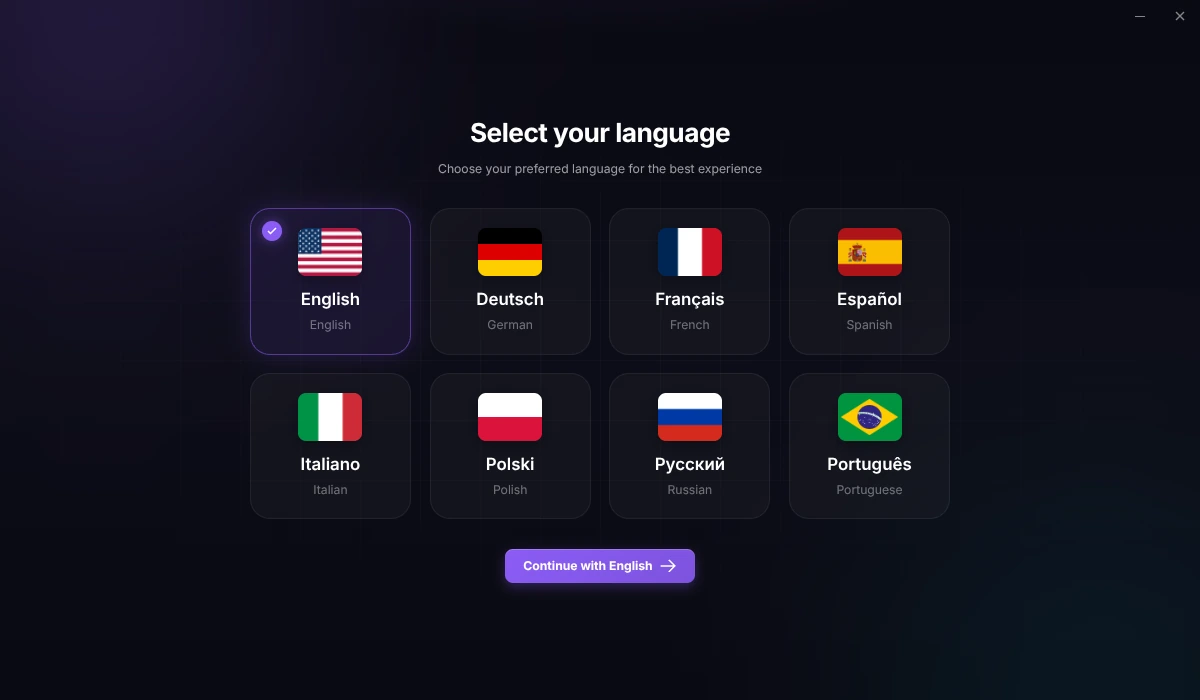
On first start, pick your language and click “Continue with English” (the button always shows the language you picked). A short welcome screen follows. Click “Get Started”.
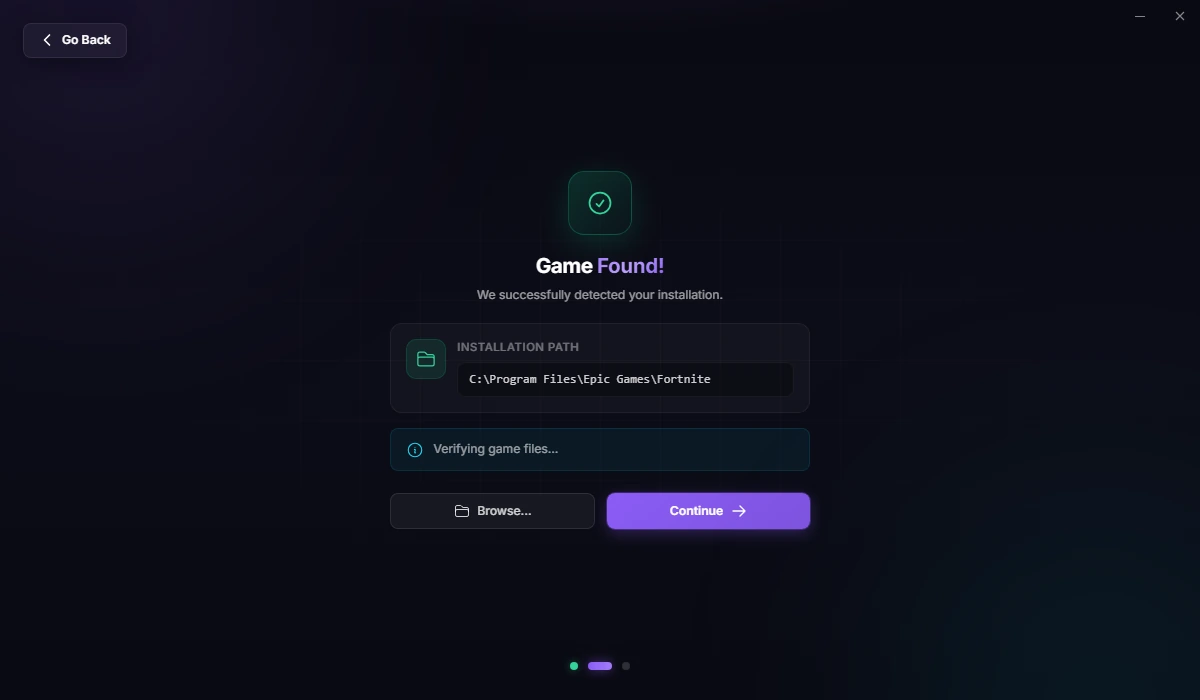
Let it find Fortnite
The launcher scans your PC for your Fortnite installation — the regular, up-to-date one from Epic. If nothing is found, click “Locate Fortnite Manually” and select the folder. No Fortnite yet? Install it with the Epic Games Launcher first, then come back.
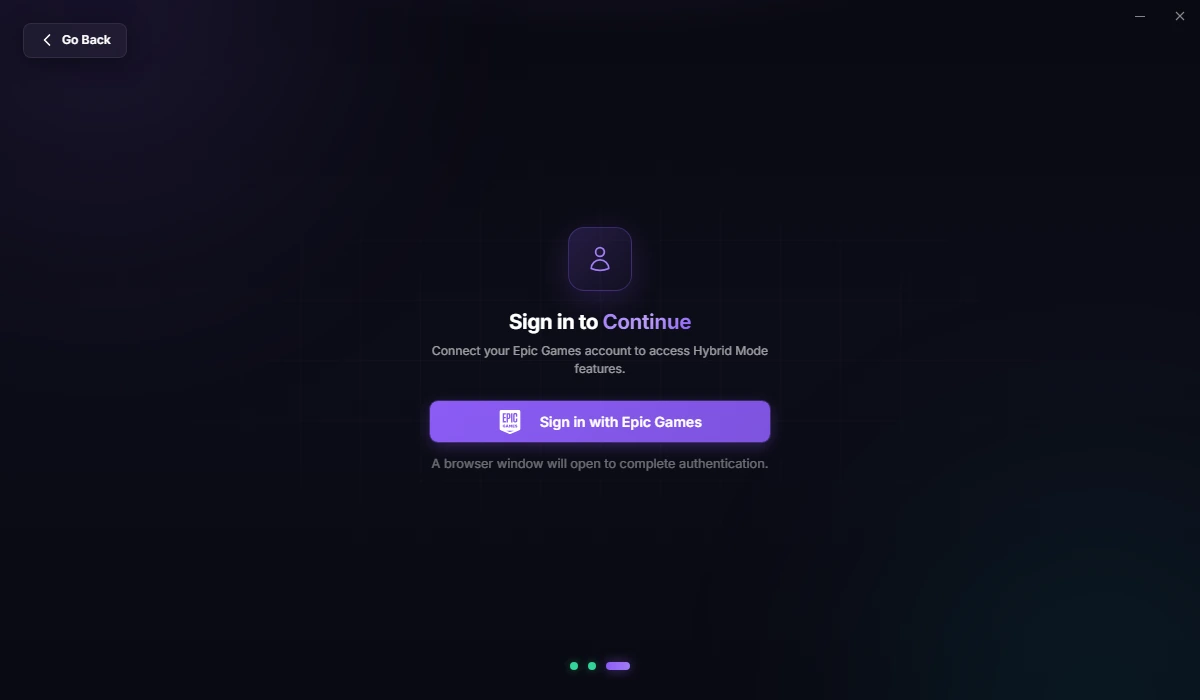
Sign in with Epic Games
Click “Sign in with Epic Games”. A browser window opens on Epic's official login page — sign in and approve the request there. EZFN never sees your password, and your 2FA keeps working.
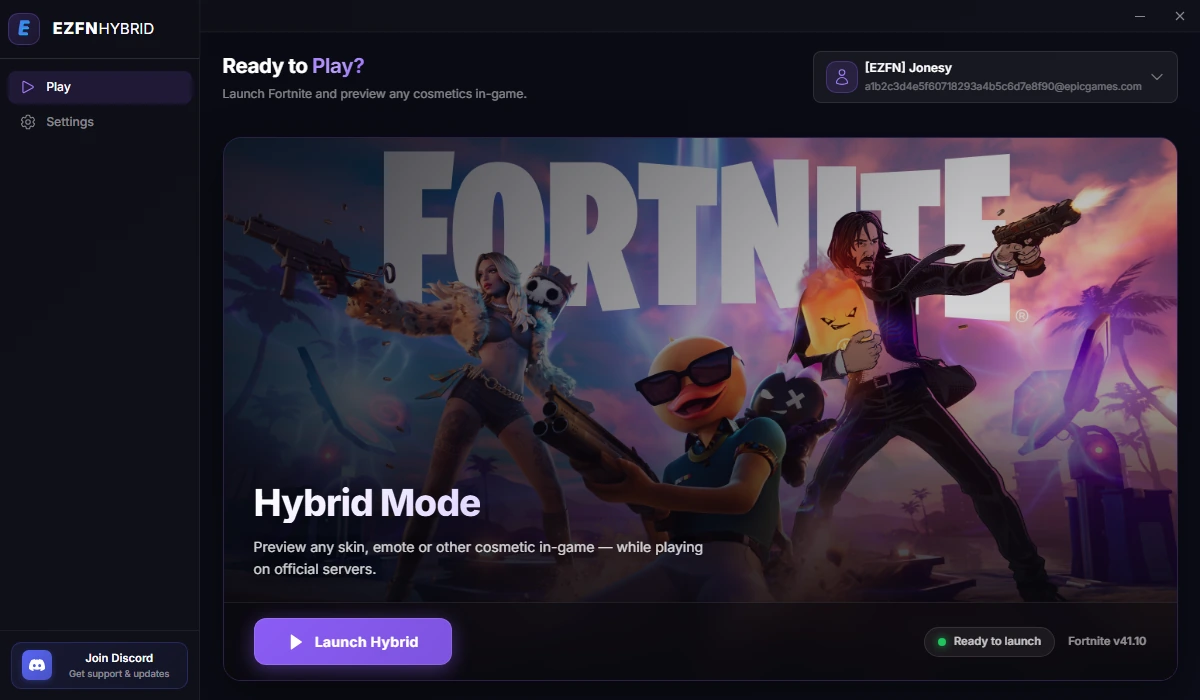
Hit “Launch Hybrid”
You land on the Play tab: your account sits at the top right, and the Hybrid Mode card shows “Ready to launch”. Click “Launch Hybrid”.
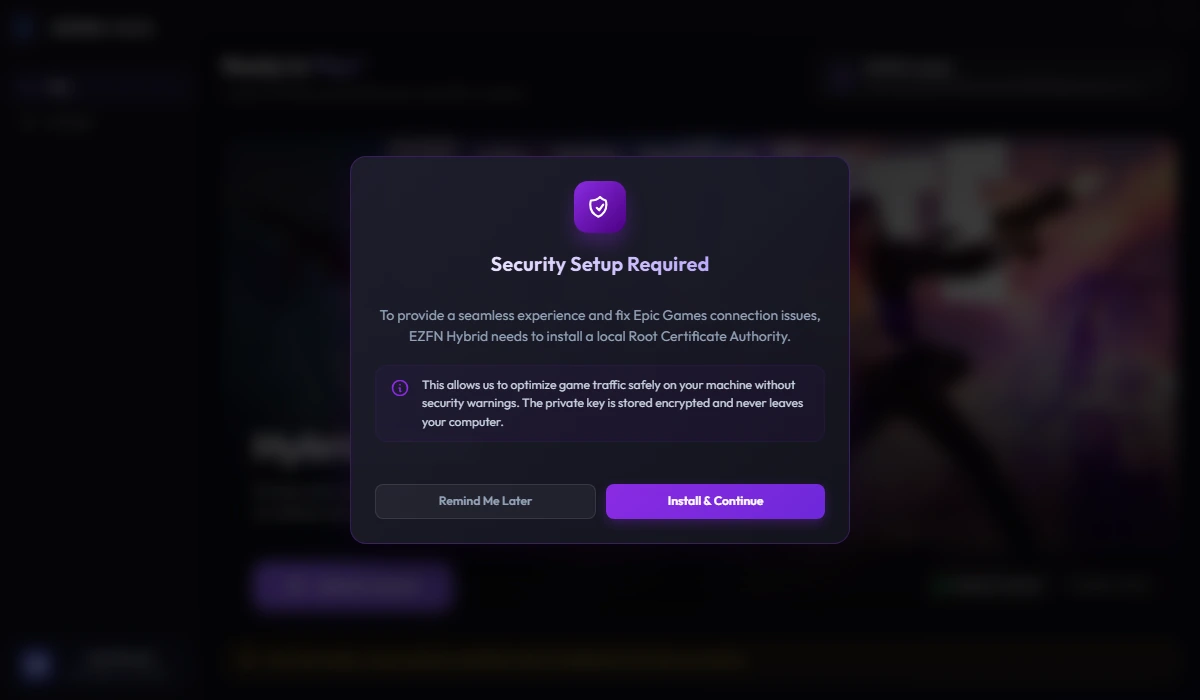
Approve the one-time setup
On first run, a "Security Setup Required" dialog appears — the launcher needs a local security certificate to modify game traffic on your machine. It's generated locally and unique to your PC. Click "Install & Continue" and confirm the Windows administrator prompt. You only do this once.
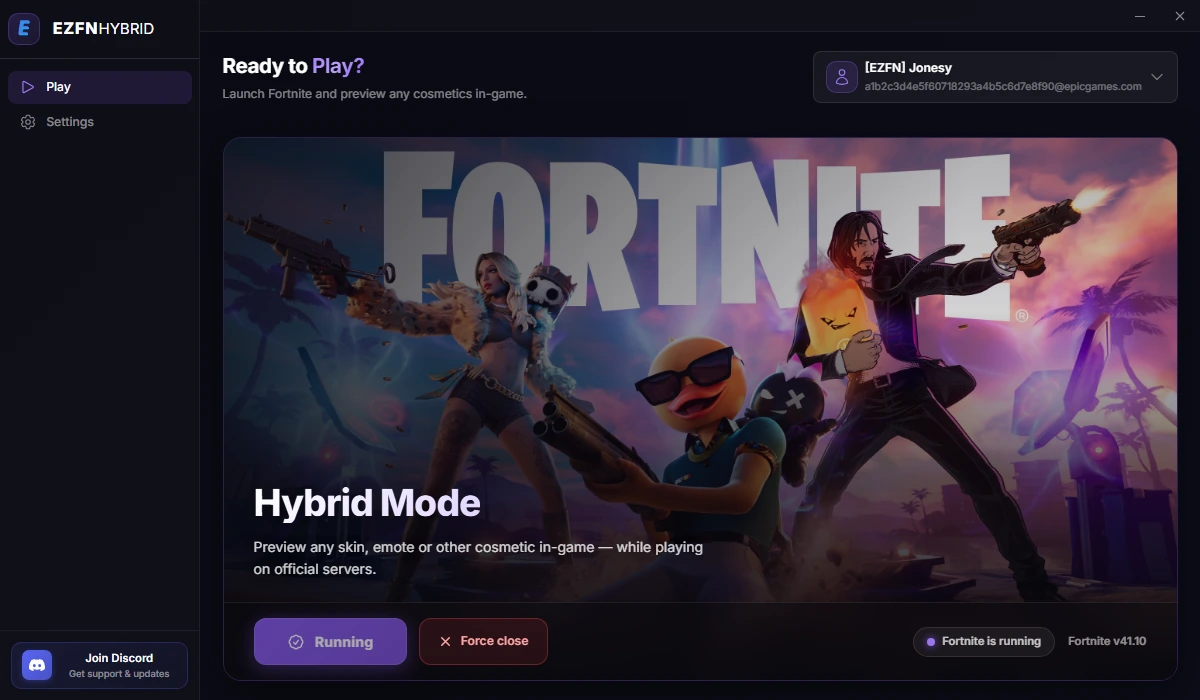
Preview everything in-game
Fortnite starts on official servers and the status pill flips to “Fortnite is running”. Jump into the lobby and preview any skin, emote or other cosmetic — your full locker, in current Fortnite.
Hybrid Help
Fortnite wasn't found — or won't launch?
Hybrid launches your regular Fortnite from Epic, so it needs to be installed and up to date. Install or update it in the Epic Games Launcher, then check the folder under Settings → “Fortnite Installation Path” in the EZFN Hybrid launcher.
Why does it need administrator rights?
Only for the one-time certificate install. The certificate is generated locally, is unique to your machine and never leaves your PC — it's what lets the launcher intercept and modify game traffic securely.
Will other players see my unlocked cosmetics?
Friends can see what you show off in your lobby — lobby only, never in matches. Your real Epic locker stays untouched: every unlock lives on EZFN's servers, and regular Fortnite stays exactly as you left it.