Get update alerts on this device
New builds, seasons and events — get a ping the moment something goes live, just like a regular app notification.
Couldn't turn notifications on — please try again in a moment.
Free — no account needed, and one tap turns them off again. ·Privacy policy
You're all set
This device now gets a heads-up whenever a new update or event drops. We just sent a sample notification so you know what to look for.
Notifications are blocked
Your browser is blocking notifications for this site. Open your browser's site settings (the icon next to the address bar), allow notifications, then reload this page.
Which phone do you have?
Showing the steps for Samsung.
Showing the steps for Xiaomi.
Download the EZFN app
Tap the button below to download EZFN-Season12.apk (about 172 MB). Because the app doesn't come from the Play Store, Chrome shows a "File might be harmful" notice — that's normal for every app installed this way. Tap Download anyway to continue.
Download for Android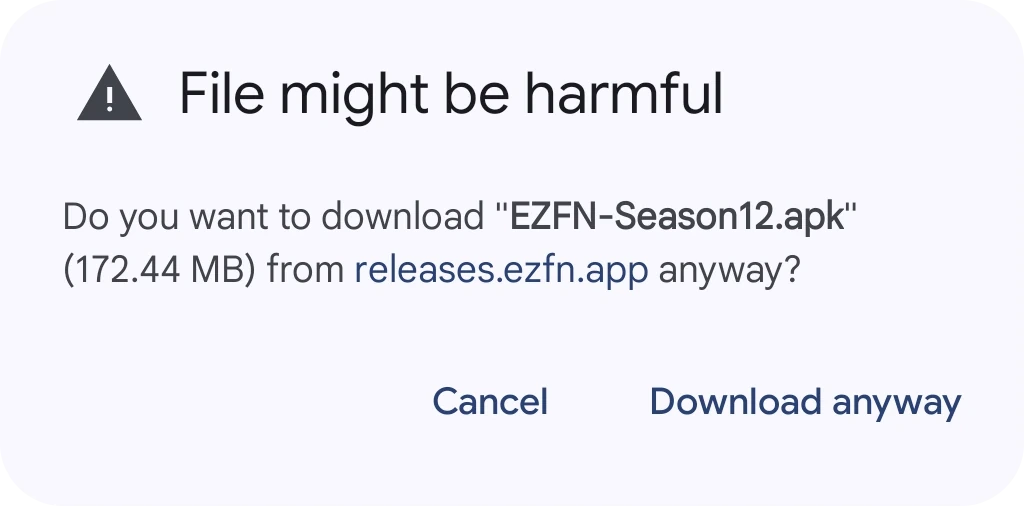
Open the download
When the download finishes, tap Open on the bar at the top of Chrome. If it disappeared, open Chrome's menu, choose Downloads and tap EZFN-Season12.apk there.

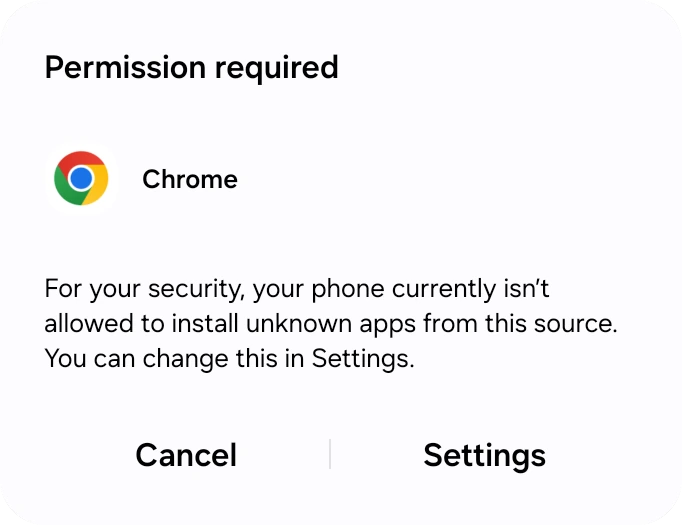
Let your browser install apps
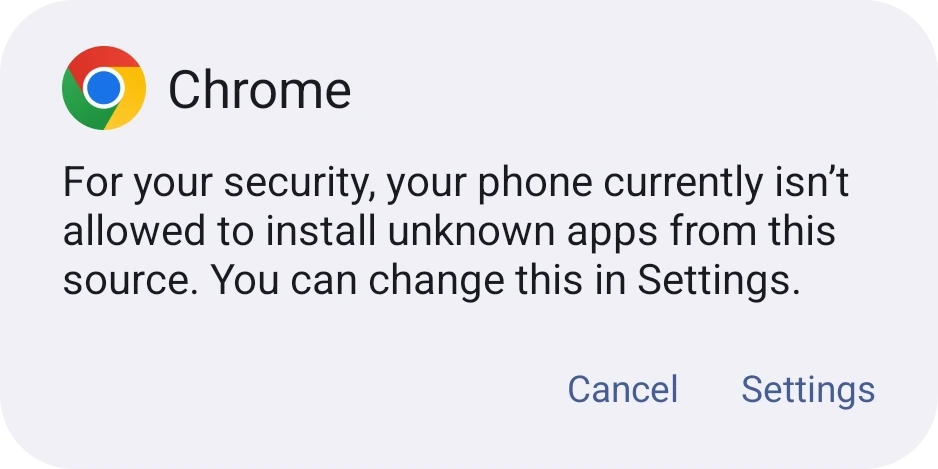
The first time you install an app this way, Android says your phone isn't allowed to install unknown apps from this source yet. This is a one-time permission for your browser. Tap Settings to open it.
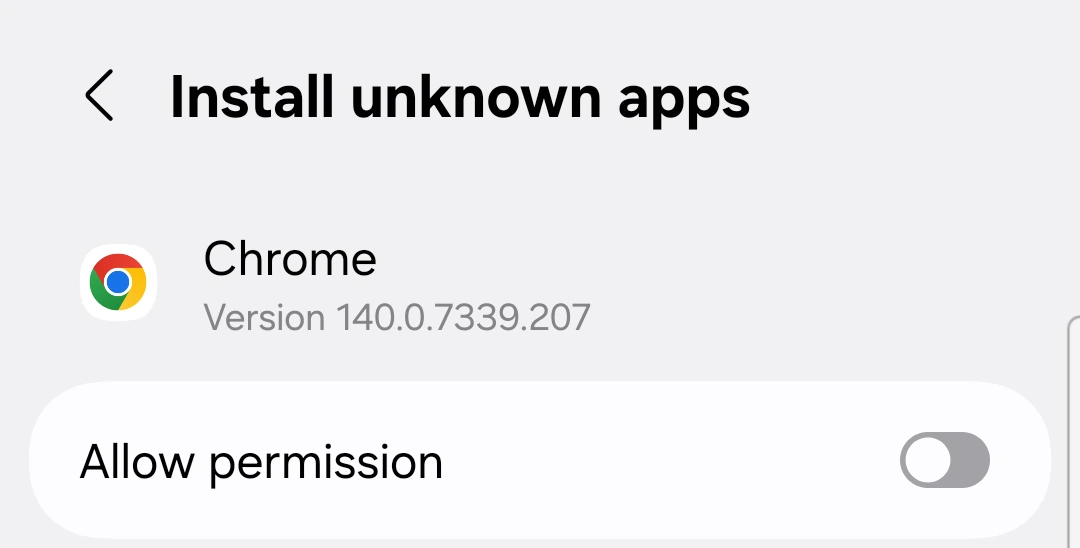
Turn on “Allow from this source”
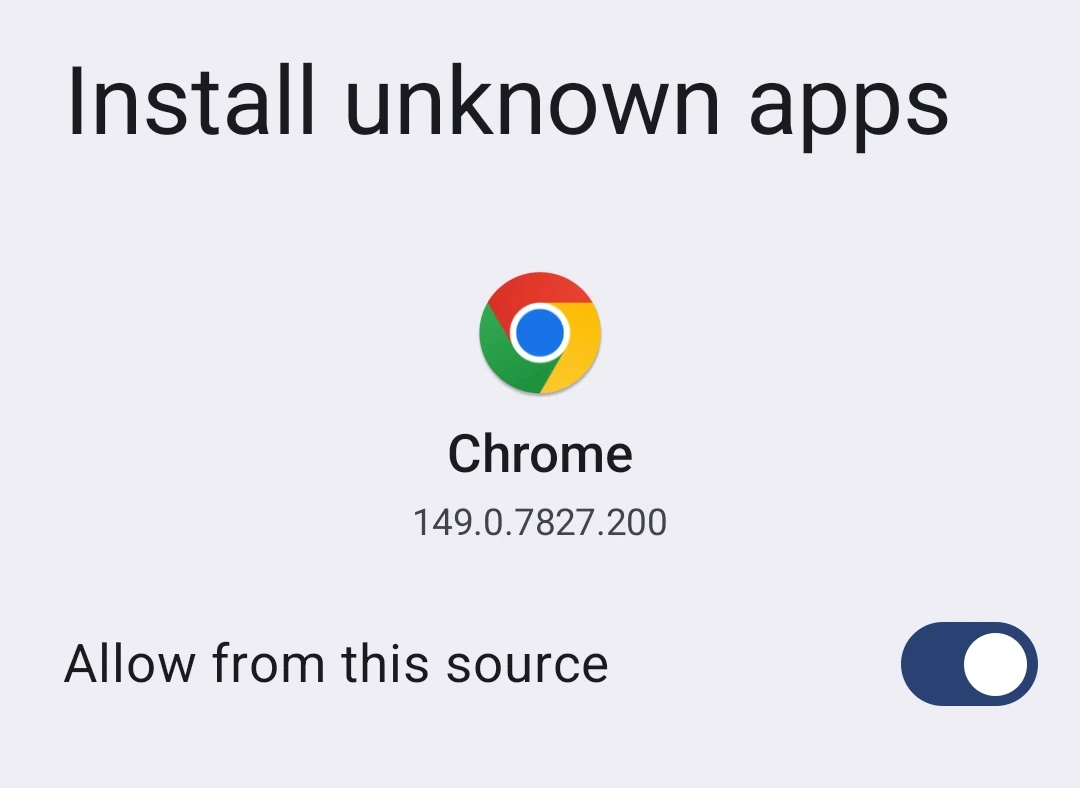
On the Install unknown apps screen, flip the “Allow from this source” switch on, then tap Back. You only ever do this once — the switch stays on for next time.
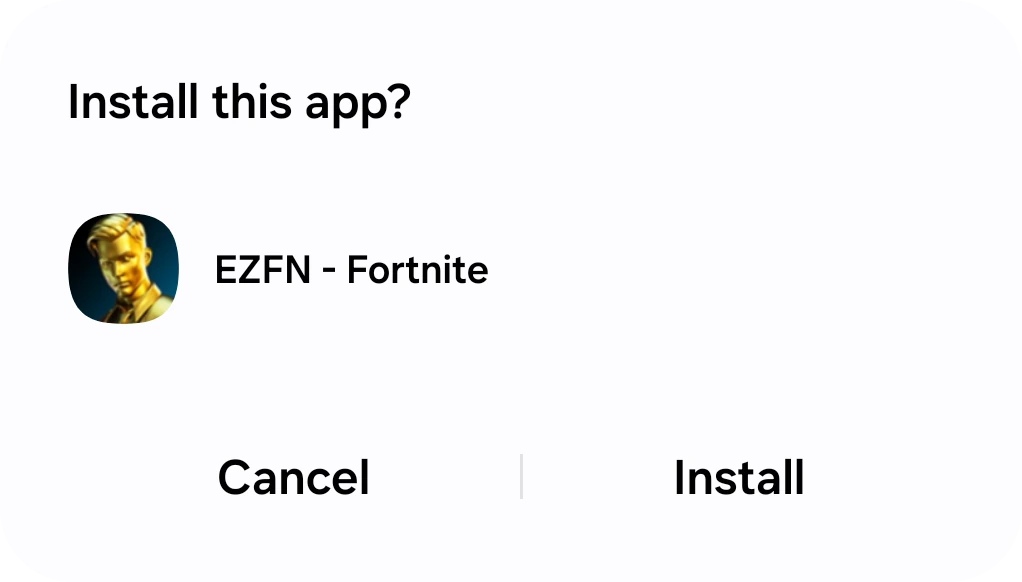
Install EZFN
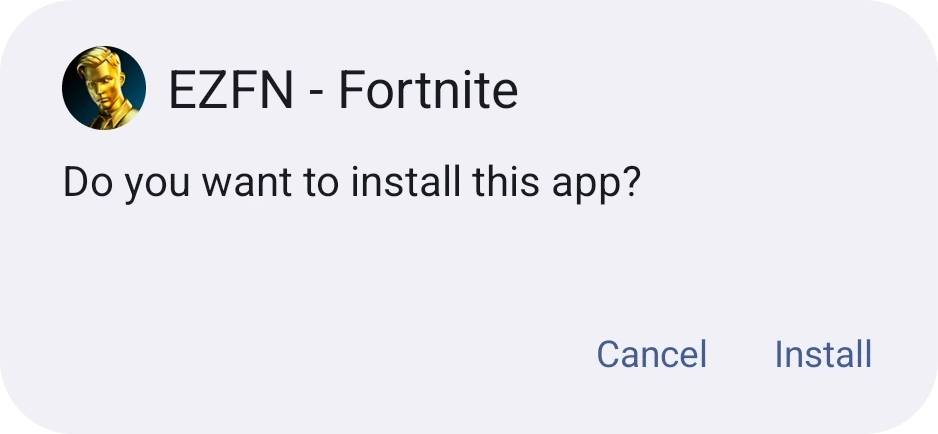
Android now asks “Do you want to install this app?” for EZFN - Fortnite. Tap Install and give it a few seconds to finish.
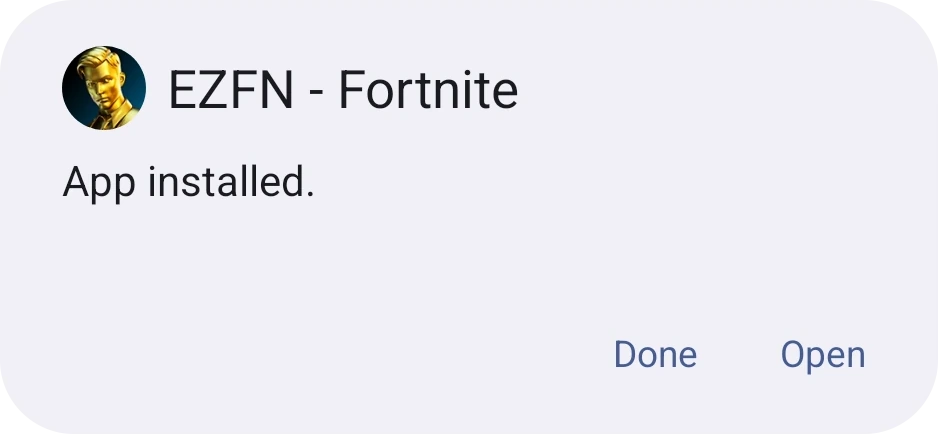
Open the app
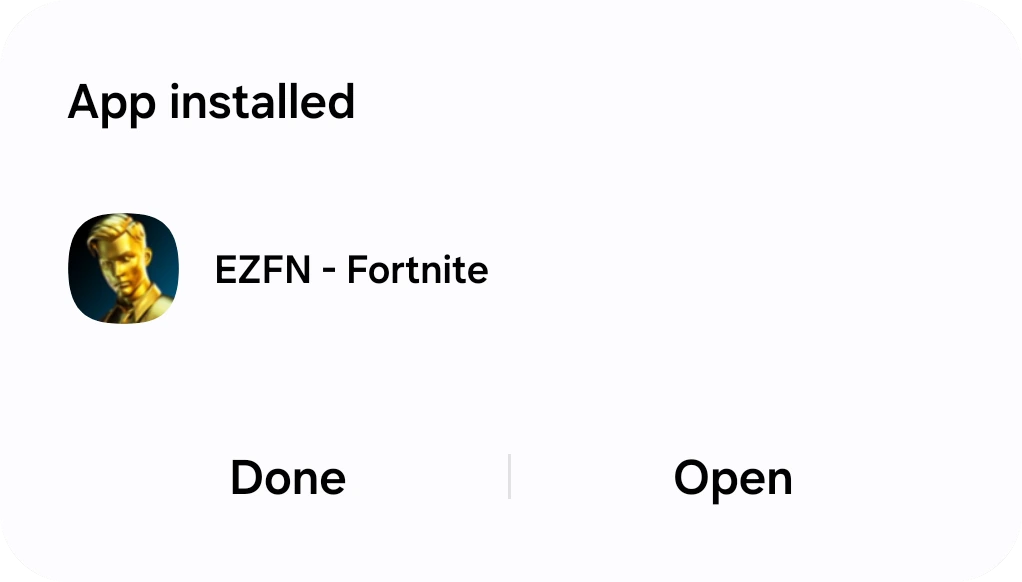
When it says App installed, tap Open. EZFN also lives on your home screen and app drawer as “EZFN - Fortnite”, so you can launch it any time.
Android Help
Is my phone powerful enough?
You need Android 9.0 or newer, 4 GB of RAM and a 64-bit ARM processor — most phones from 2019 onward. The download needs about 172 MB and the game files a few GB more, so keep some free space.
Chrome or Play Protect warns me about the file — is that safe?
Yes. Android shows “File might be harmful” and Play Protect may offer to scan any app installed from outside the Play Store — it's a standard precaution, not a sign anything is wrong. If Play Protect asks, let it scan and then tap Install anyway.
Which controllers work?
EZFN supports DualShock 4, DualSense, Xbox Wireless Controllers and the Razer Kishi. Pair the controller in Android's Bluetooth settings before you launch the game.
Download the EZFN app
Tap the button below to download EZFN-Season12.apk (about 172 MB). Because the app doesn't come from the Play Store, Chrome shows a "File might be harmful" notice — that's normal for every app installed this way. Tap Download anyway to continue.
Download for AndroidOpen the download
When the download finishes, tap Open on the bar at the top of Chrome. If it disappeared, open Chrome's menu, choose Downloads and tap EZFN-Season12.apk there.
Let your browser install apps
The first time you install an app this way, Android says your phone isn't allowed to install unknown apps from this source yet. This is a one-time permission for your browser. Tap Settings to open it.
Turn on “Allow from this source”
On the Install unknown apps screen, flip the “Allow from this source” switch on, then tap Back. You only ever do this once — the switch stays on for next time.
Install EZFN
Android now asks “Do you want to install this app?” for EZFN - Fortnite. Tap Install and give it a few seconds to finish.
Open the app
When it says App installed, tap Open. EZFN also lives on your home screen and app drawer as “EZFN - Fortnite”, so you can launch it any time.
Android Help
Is my phone powerful enough?
You need Android 9.0 or newer, 4 GB of RAM and a 64-bit ARM processor — most phones from 2019 onward. The download needs about 172 MB and the game files a few GB more, so keep some free space.
Chrome or Play Protect warns me about the file — is that safe?
Yes. Android shows “File might be harmful” and Play Protect may offer to scan any app installed from outside the Play Store — it's a standard precaution, not a sign anything is wrong. If Play Protect asks, let it scan and then tap Install anyway.
Which controllers work?
EZFN supports DualShock 4, DualSense, Xbox Wireless Controllers and the Razer Kishi. Pair the controller in Android's Bluetooth settings before you launch the game.
Download the EZFN app
Tap the button below to download EZFN-Season12.apk (about 172 MB). Because the app doesn't come from the Play Store, Chrome shows a "File might be harmful" notice — that's normal for every app installed this way. Tap Download anyway to continue.
Download for AndroidOpen the download
When the download finishes, tap Open on the bar at the top of Chrome. If it disappeared, open Chrome's menu, choose Downloads and tap EZFN-Season12.apk there.
Allow Chrome to install the app
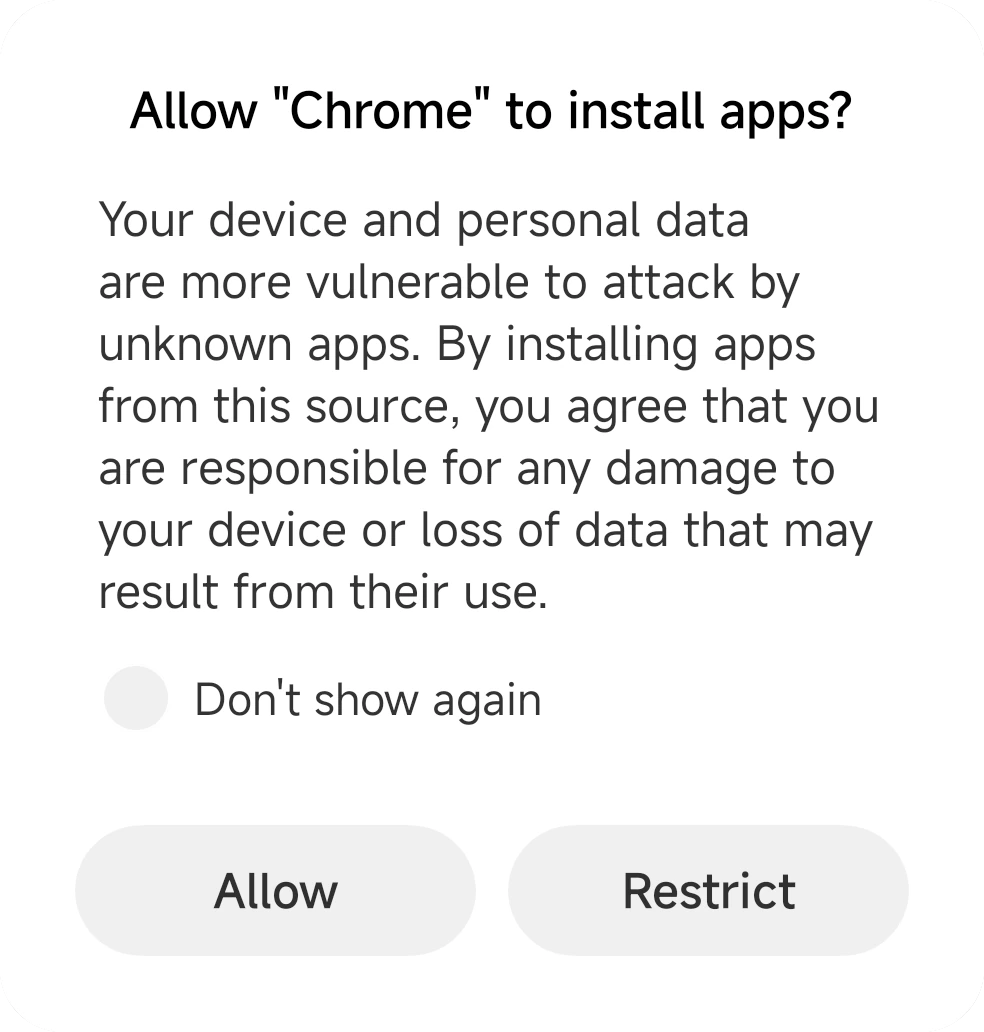
When the file opens, a sheet asks whether Chrome is allowed to install apps. Tap Allow — this is a one-time permission, you won't be asked again.
Install EZFN
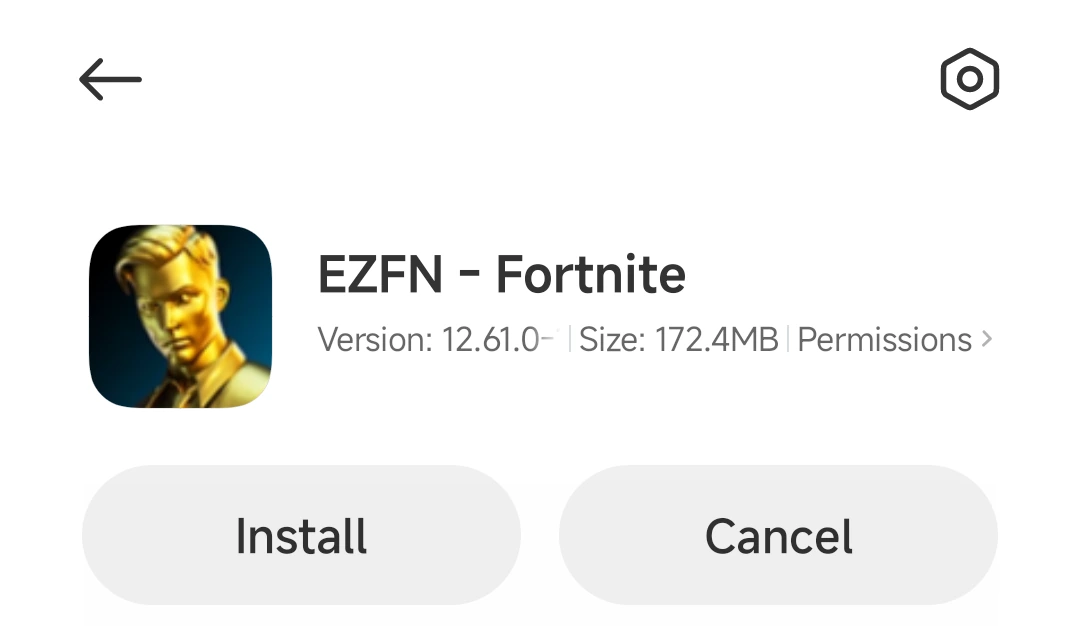
The installer opens with the details for EZFN - Fortnite. Tap Install at the bottom and give it a moment to finish.
Open the app
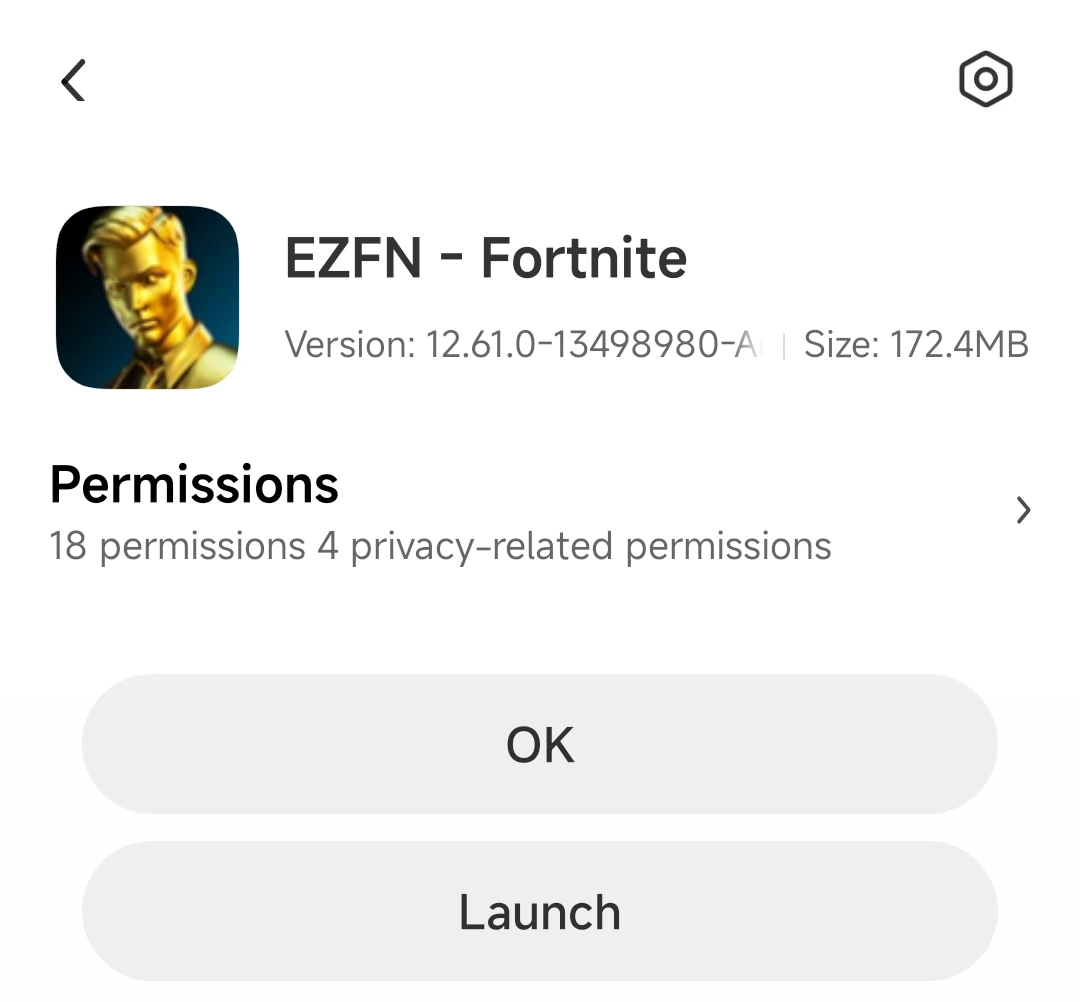
When the buttons switch to OK and Launch, the install is done. Tap Launch to start EZFN — you'll also find "EZFN - Fortnite" on your home screen.
Android Help
Is my phone powerful enough?
You need Android 9.0 or newer, 4 GB of RAM and a 64-bit ARM processor — most phones from 2019 onward. The download needs about 172 MB and the game files a few GB more, so keep some free space.
Chrome or Play Protect warns me about the file — is that safe?
Yes. Android shows “File might be harmful” and Play Protect may offer to scan any app installed from outside the Play Store — it's a standard precaution, not a sign anything is wrong. If Play Protect asks, let it scan and then tap Install anyway.
Which controllers work?
EZFN supports DualShock 4, DualSense, Xbox Wireless Controllers and the Razer Kishi. Pair the controller in Android's Bluetooth settings before you launch the game.