¿Qué dispositivo utilizas?
Mostrando los pasos para Steam Deck.
Descarga EZFN Launcher
Descarga EZFN-OGFN-Launcher.AppImage con el botón de abajo. Cuando termine la descarga, encontrarás el archivo en el panel de descargas de tu navegador. La imagen muestra Firefox.
Descargar para Linux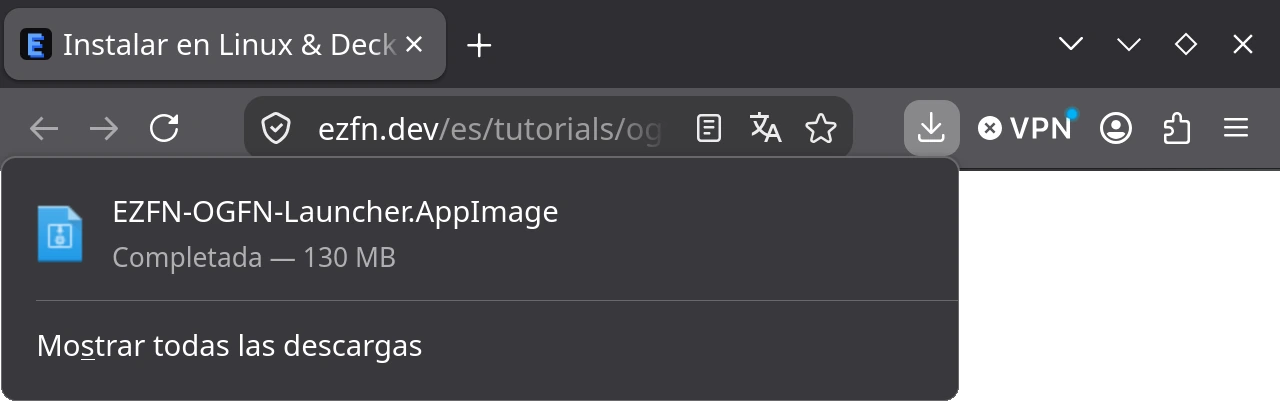
Permite que el archivo se ejecute
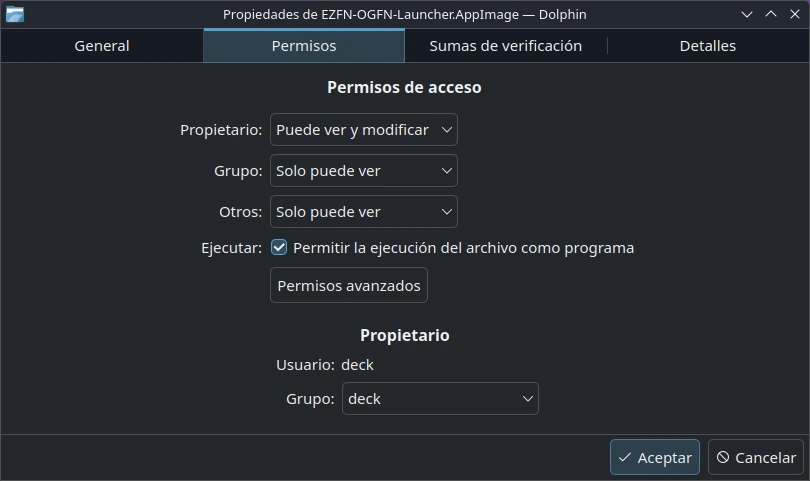
Abre tu carpeta de Descargas, haz clic derecho en el AppImage y elige «Propiedades». En la pestaña «Permisos» marca «Permitir la ejecución del archivo como programa» (se muestra KDE/Dolphin; en Archivos de GNOME es «Ejecutable como programa») y pulsa Aceptar. También puedes abrir una terminal en esta carpeta y ejecutar chmod +x EZFN-OGFN-Launcher.AppImage.
Abre el launcher
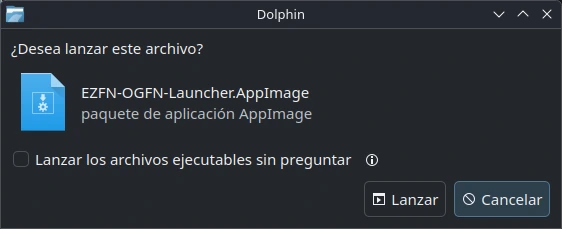
Haz doble clic en el AppImage y confirma su ejecución si se te solicita. El launcher se ejecuta directamente desde el archivo, así que guárdalo en una ubicación fija. Si lo mueves, ábrelo una vez desde la nueva ubicación.
Elige tu idioma
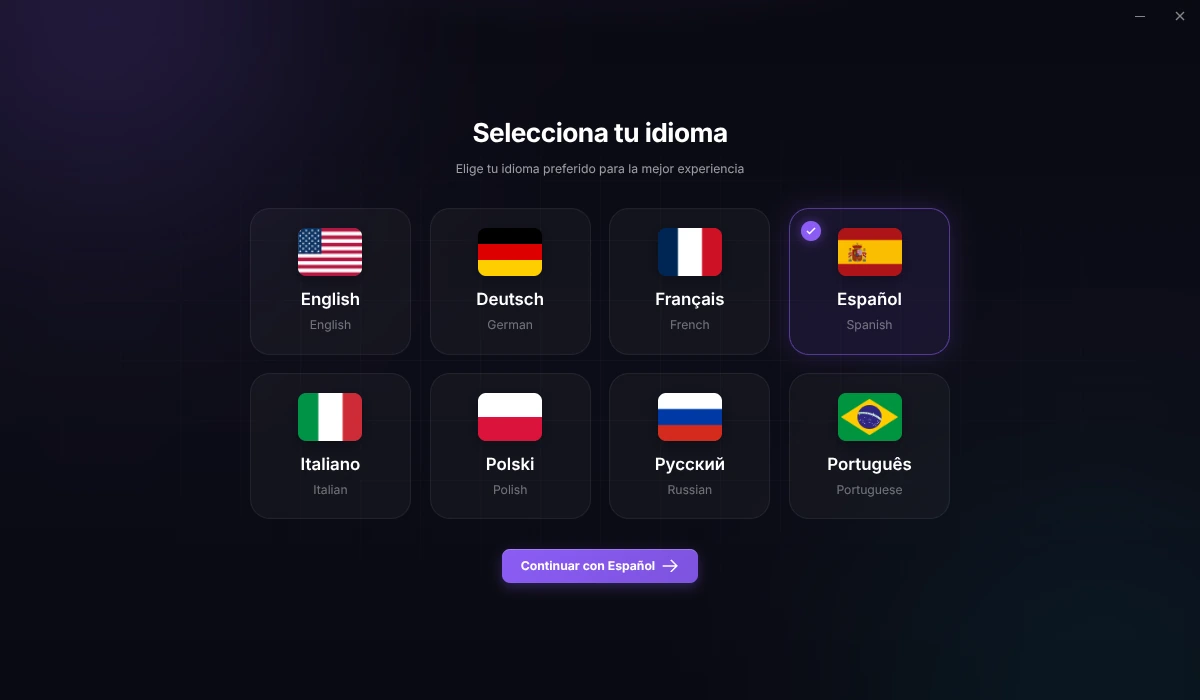
Al abrir el launcher por primera vez, elige un idioma y pulsa el botón para continuar.
Inicia sesión con EZFN
Haz clic en “Iniciar sesión con EZFN” para abrir la página de acceso en el navegador. Inicia sesión con tu cuenta de EZFN o crea una cuenta gratuita.
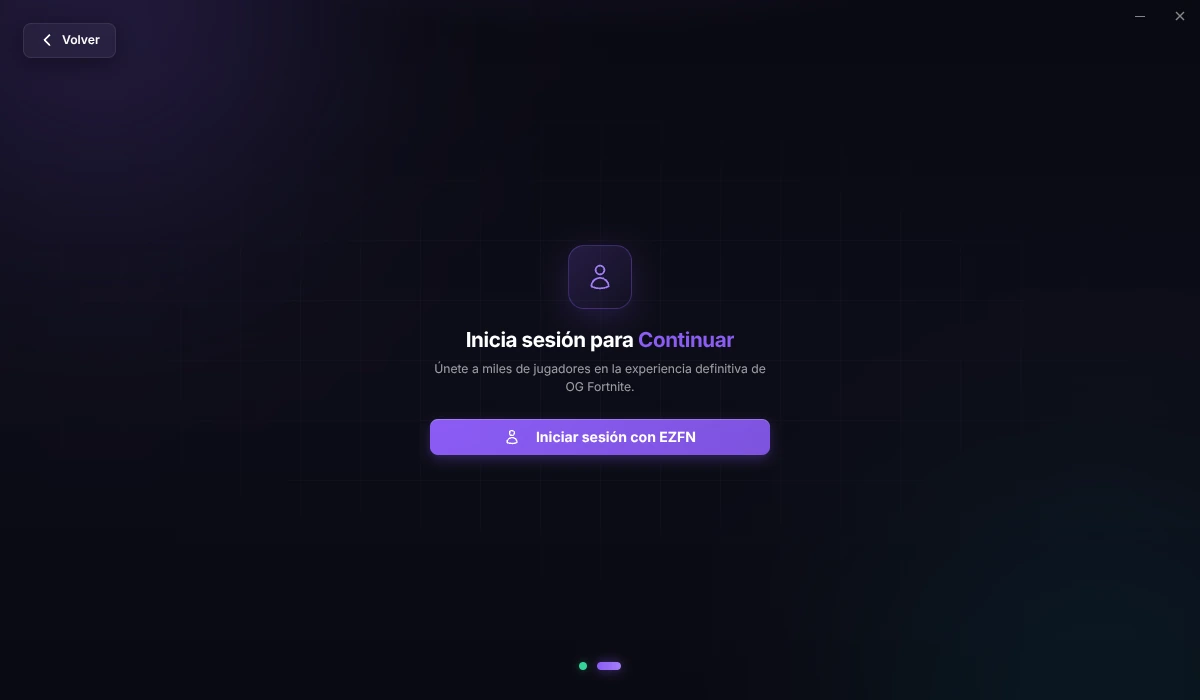
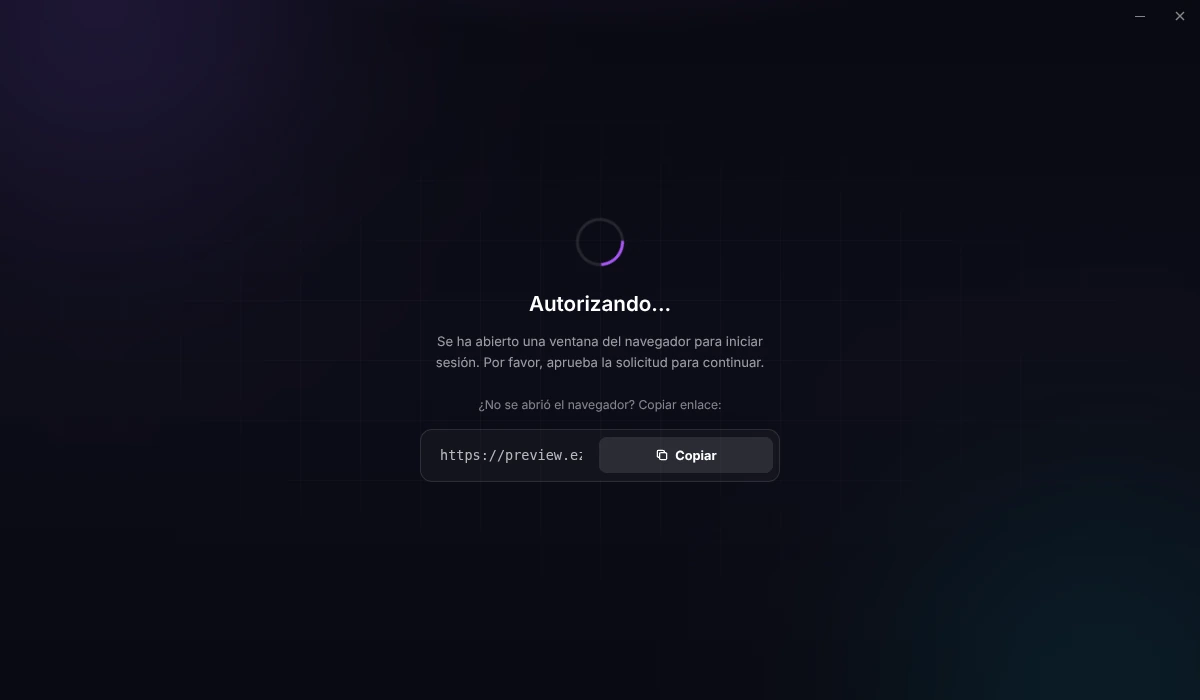
Termina el inicio de sesión en el navegador
Inicia sesión en la pestaña del navegador que se ha abierto. Si el navegador pide permiso para abrir “EZFN OGFN Launcher”, acéptalo para volver al launcher. Si el navegador no se abre, copia el enlace del launcher y pégalo en la barra de direcciones.
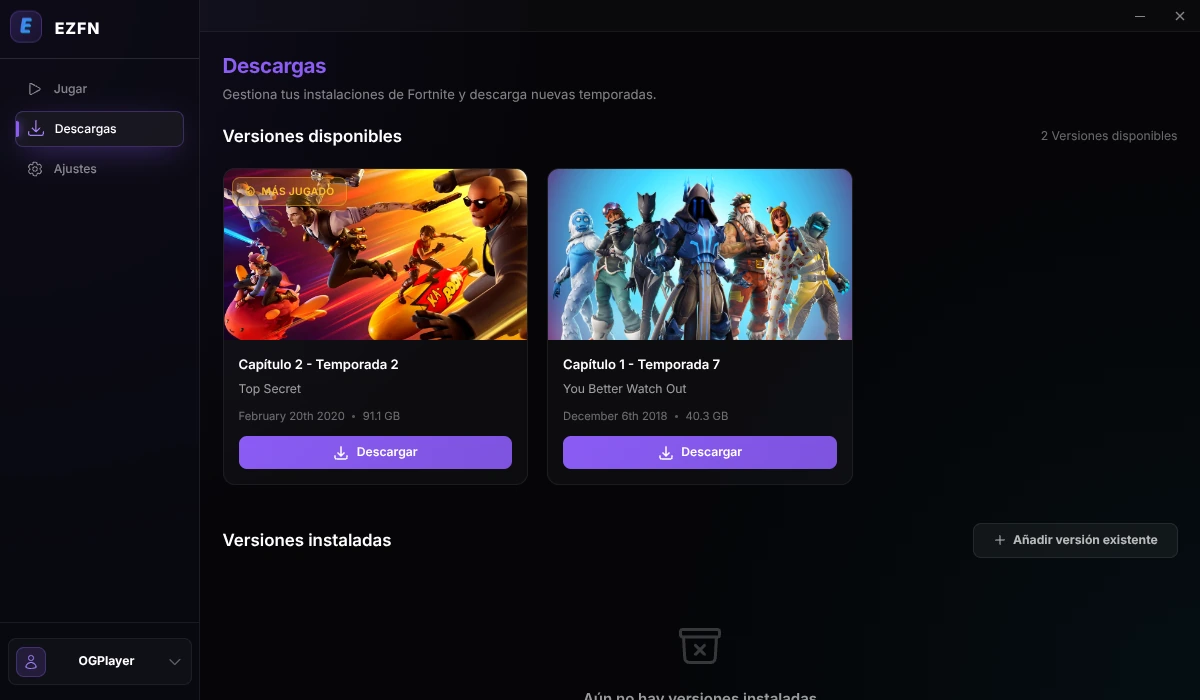
Elige tu versión de Fortnite
En la barra lateral, abre “Descargas” y haz clic en “Descargar” en Capítulo 2 – Temporada 2 (v12.61).
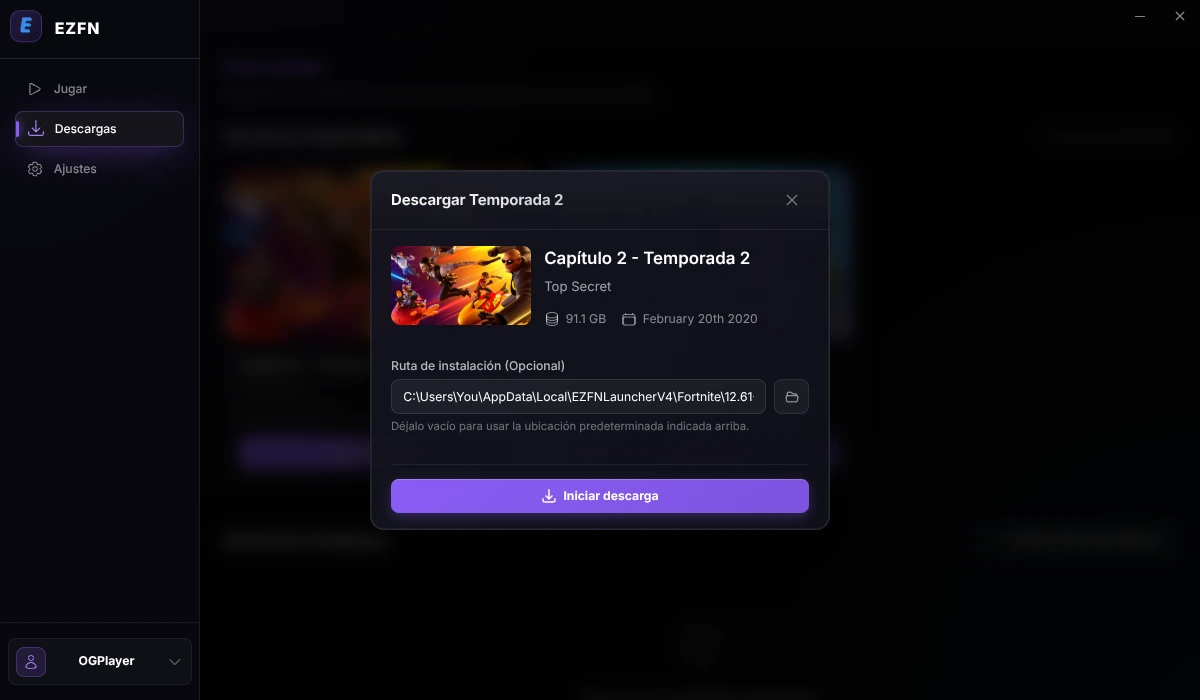
Inicia la descarga
Elige una ubicación con unos 92 GB de espacio libre. Haz clic en el icono de carpeta para cambiar la ruta sugerida o seleccionar una tarjeta microSD en Steam Deck. Después, pulsa «Iniciar descarga».
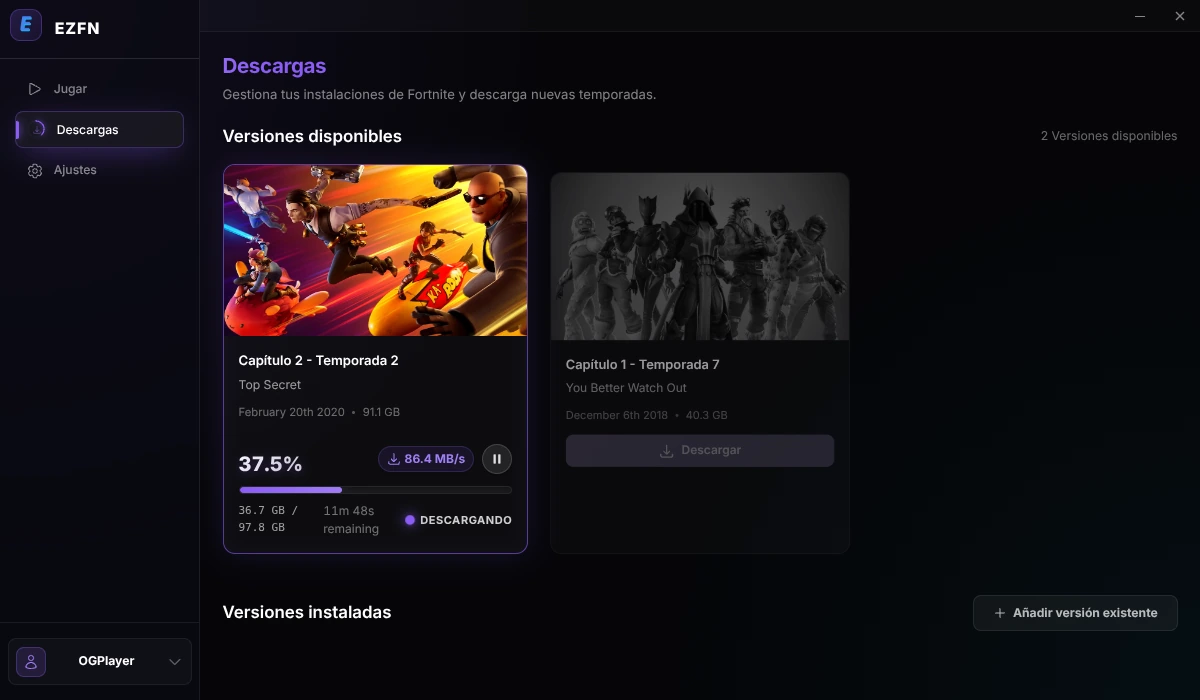
Espera a que termine la descarga
Durante la descarga se muestran el progreso, la velocidad y el tiempo restante estimado. Mantén el launcher abierto hasta que termine.
Inicia el juego
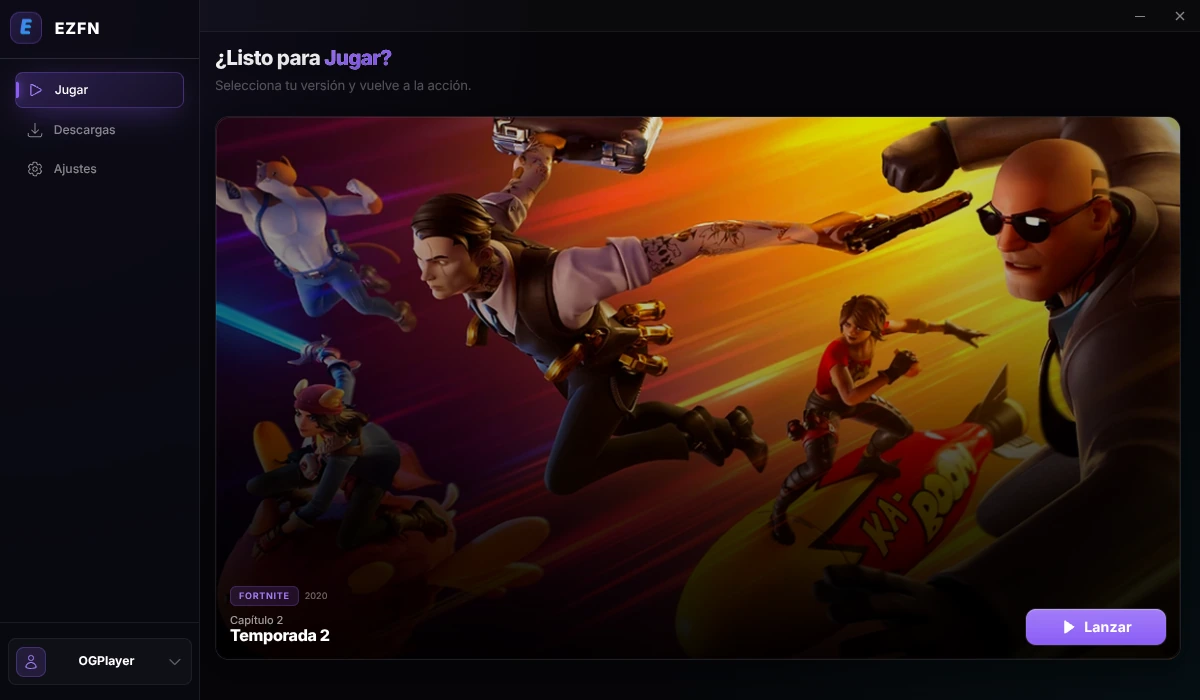
Cuando termine la descarga, abre la pestaña “Jugar” y haz clic en “Lanzar” en Capítulo 2 – Temporada 2. El primer inicio puede tardar unos minutos.
Ayuda para Linux
El AppImage no se abre
Revisa los permisos del archivo y marca «Permitir la ejecución del archivo como programa». Si sigue sin arrancar, abre una terminal en esa carpeta y ejecuta ./EZFN-OGFN-Launcher.AppImage para ver el error. En Steam Deck, asegúrate de estar en el modo Escritorio.
¿Necesito Steam, Proton o Wine?
No necesitas instalar Proton o Wine manualmente ni añadir el launcher a Steam. El launcher configura los componentes necesarios para ejecutar el juego.
El navegador no se abrió al pulsar Iniciar sesión
Haz clic en «Copiar» junto al enlace de inicio de sesión del launcher y pégalo en la barra de direcciones del navegador. Tras iniciar sesión, permite que el navegador abra EZFN OGFN Launcher si te lo pide. Si no vuelves al launcher, ciérralo, abre de nuevo el AppImage e intenta iniciar sesión otra vez.
¿Puedo instalar el juego en otra unidad?
Capítulo 2 – Temporada 2 necesita unos 92 GB de espacio libre. En la ventana de descarga, haz clic en el icono de carpeta para elegir otra ubicación. En Steam Deck puedes seleccionar una tarjeta microSD en /run/media. Mantén el launcher en la unidad interna.
Cambia al modo Escritorio
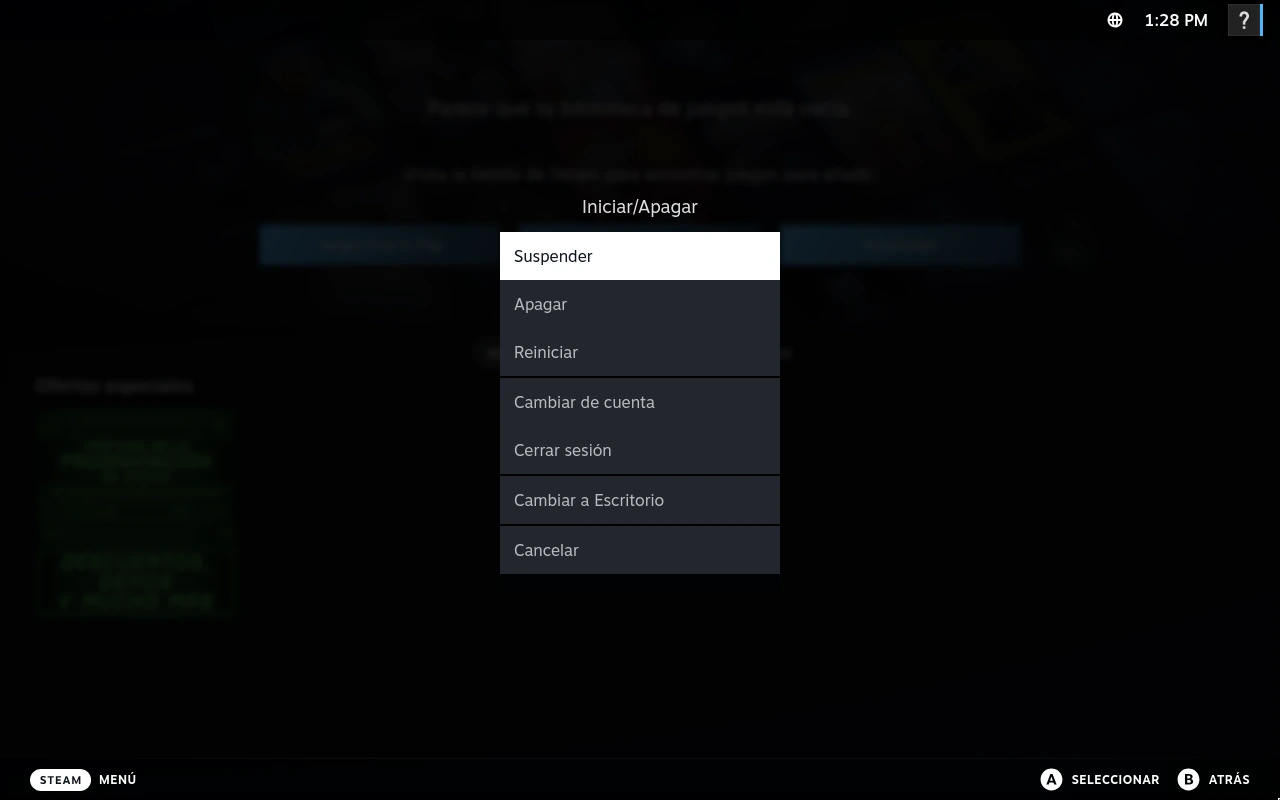
Configura el launcher en el modo Escritorio. Pulsa el botón Steam, abre «Iniciar/Apagar» y elige «Cambiar a Escritorio». También puedes abrir este menú manteniendo pulsado el botón de encendido. Una vez en el escritorio, abre esta guía en el navegador y continúa con el siguiente paso.
Descarga EZFN Launcher
Descarga EZFN-OGFN-Launcher.AppImage con el botón de abajo. Cuando termine la descarga, encontrarás el archivo en el panel de descargas de Firefox.
Descargar para LinuxPermite que el archivo se ejecute
Abre tu carpeta de Descargas, haz clic derecho en el AppImage y elige «Propiedades». En la pestaña «Permisos» marca «Permitir la ejecución del archivo como programa» y pulsa Aceptar. También puedes abrir una terminal en esta carpeta y ejecutar chmod +x EZFN-OGFN-Launcher.AppImage.
Abre el launcher
Haz doble clic en el AppImage y confirma su ejecución si se te solicita. El launcher se ejecuta directamente desde el archivo, así que guárdalo en una ubicación fija. Si lo mueves, ábrelo una vez desde la nueva ubicación.
Elige tu idioma
Al abrir el launcher por primera vez, elige un idioma y pulsa el botón para continuar.
Inicia sesión con EZFN
Haz clic en “Iniciar sesión con EZFN” para abrir la página de acceso en el navegador. Inicia sesión con tu cuenta de EZFN o crea una cuenta gratuita.
Termina el inicio de sesión en el navegador
Inicia sesión en la pestaña del navegador que se ha abierto. Si el navegador pide permiso para abrir “EZFN OGFN Launcher”, acéptalo para volver al launcher. Si el navegador no se abre, copia el enlace del launcher y pégalo en la barra de direcciones.
Elige tu versión de Fortnite
En la barra lateral, abre “Descargas” y haz clic en “Descargar” en Capítulo 2 – Temporada 2 (v12.61).
Inicia la descarga
Elige una ubicación con unos 92 GB de espacio libre. Haz clic en el icono de carpeta para cambiar la ruta sugerida o seleccionar una tarjeta microSD en Steam Deck. Después, pulsa «Iniciar descarga».
Espera a que termine la descarga
Durante la descarga se muestran el progreso, la velocidad y el tiempo restante estimado. Mantén el launcher abierto hasta que termine.
Inicia el juego
Cuando termine la descarga, abre la pestaña “Jugar” y haz clic en “Lanzar” en Capítulo 2 – Temporada 2. El primer inicio puede tardar unos minutos.
Ayuda para Linux
El AppImage no se abre
Revisa los permisos del archivo y marca «Permitir la ejecución del archivo como programa». Si sigue sin arrancar, abre una terminal en esa carpeta y ejecuta ./EZFN-OGFN-Launcher.AppImage para ver el error. En Steam Deck, asegúrate de estar en el modo Escritorio.
¿Necesito Steam, Proton o Wine?
No necesitas instalar Proton o Wine manualmente ni añadir el launcher a Steam. El launcher configura los componentes necesarios para ejecutar el juego.
El navegador no se abrió al pulsar Iniciar sesión
Haz clic en «Copiar» junto al enlace de inicio de sesión del launcher y pégalo en la barra de direcciones del navegador. Tras iniciar sesión, permite que el navegador abra EZFN OGFN Launcher si te lo pide. Si no vuelves al launcher, ciérralo, abre de nuevo el AppImage e intenta iniciar sesión otra vez.
¿Puedo instalar el juego en otra unidad?
Capítulo 2 – Temporada 2 necesita unos 92 GB de espacio libre. En la ventana de descarga, haz clic en el icono de carpeta para elegir otra ubicación. En Steam Deck puedes seleccionar una tarjeta microSD en /run/media. Mantén el launcher en la unidad interna.
¿Sigues teniendo problemas?
Pregunta en nuestro Discord: la comunidad y el equipo responden rápido.